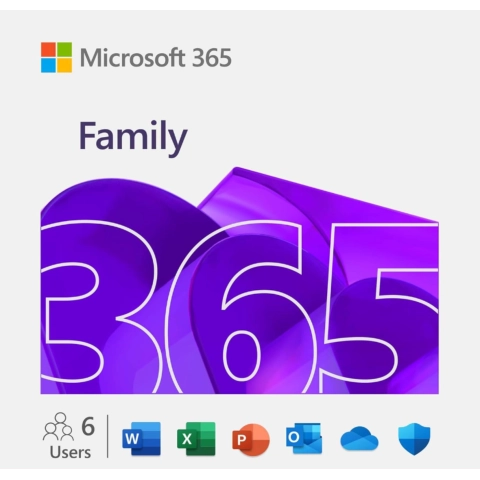
Microsoft 365 Family (1 Year)
1-year Microsoft 365 Family subscription for up to 6 people with 6TB combined OneDrive storage.
About this product
A subscription built for households Microsoft 365 Family bundles the full Office app suite with cloud storage for up to six people under one plan. Each person gets their own sign-in, their own 1TB of OneDrive storage, and access to Word, Excel, PowerPoint, Outlook and OneNote on their own devices, so parents, kids, roommates or extended family can share one subscription without sharing files. What it's actually for This plan suits families juggling schoolwork, home budgeting, side projects and everyday documents across multiple people and devices. Because each user gets up to 5 devices, the same account can cover a laptop, tablet and phone per person, keeping documents synced through OneDrive rather than emailed back and forth. Copilot and always-current apps Subscribers get continuous updates to the Office apps rather than a one-time install, plus Copilot AI features built into the apps for drafting, summarizing and editing content. New features roll out automatically over the subscription term instead of requiring a separate purchase later. How delivery works After payment, the subscription key and setup instructions are sent by email so it can be redeemed on a Microsoft account and shared with other household members from there. Delivery is instant through Ventrevo's email and account dashboard system. Getting started Setup takes a few minutes: redeem the key on a Microsoft account, install the Office apps or use them in the browser, then invite up to five additional people to join the family group so everyone gets their own storage and app access. Good to know This is a 12-month term license tied to a Microsoft account; it is not a one-time perpetual purchase. As with all digital products on Ventrevo, sales are final once the key has been delivered.
Key benefits
- Always the latest Office apps
- 1 TB OneDrive cloud storage per user
- Copilot AI included
- Up to 6 users, 5 devices each
What's included
- 1x Microsoft 365 Family 12-month subscription key
- Setup instructions
- Email support
Pros
- + Best per-person value for families
- + 6 TB total cloud storage
- + Copilot AI
Cons
- − Yearly renewal
- − Not owned outright
Key features
Compatibility
Delivery & activation
Instant email delivery plus access via the account dashboard.
How to activate
- 1Check your email for the Microsoft 365 Family key after checkout
- 2Sign in to (or create) a Microsoft account
- 3Redeem the key at the Microsoft 365 redemption page
- 4Install the Office apps or open them in your browser
- 5Invite up to 5 more people to your family group to share storage and apps